Log in, type the account's @username, tick Highlights, and choose the ones you want. Each highlight is saved into its own folder, ready to drop into a photo book service. You see each highlight's title in the picker and in the library.
Step by step
- Log in to InstagramFeedSaver opens Instagram in its own window and you log in there. For a private account, you need to follow it.
- Type the @usernameYour own account, or one whose owner is happy for you to keep the photos.
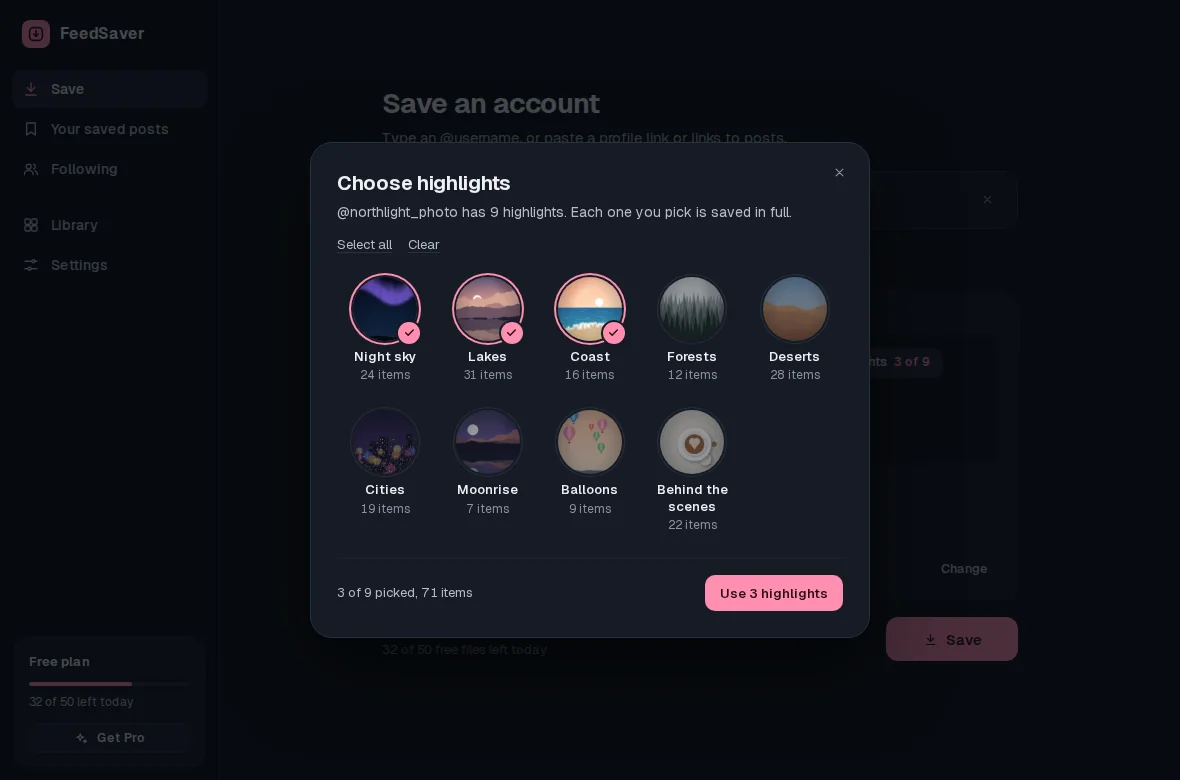
- Pick your highlightsTick Highlights, then click it to open Choose highlights, which shows the account's highlights with their covers and item counts. Tick only the ones you want, and untick Posts if highlights are all you need.
- Photos only, if you likeFor a photo book, untick Videos under Include so only the pictures are saved.
- Save and open the folderWhen it's done, click Open folder to get the pictures, one folder per highlight.
What you get
our.little.trips/
  highlights/
    17846293051234567/    one highlight
    17851002233445566/    another highlight
    17863301122334455/    another
Each highlight's folder is named with the number Instagram gives it, not its title, so it can't clash with another. The titles show in the FeedSaver library and the picker. Most photo book services let you upload a whole folder at a time, so each highlight can become a chapter. You may want to rename the folders to match.
About print quality
FeedSaver saves the image Instagram provides, without screenshots or cropping. Instagram stores photos at a limited size, often about 1080 pixels wide, so they print well at small and medium sizes but can look soft across a full large page. Many photo book services warn you when a photo is too small for the layout you pick.
Honest limits
- Login required. Instagram doesn't show highlights to people who aren't logged in.
- Only what's still there. Items removed from a highlight can't be saved. Stories that were never added to a highlight disappear after 24 hours.
Whose pictures? Save highlights you have the right to keep: your own, or a friend's or family member's with their permission.
Common questions
Can I save just one highlight?
Yes. FeedSaver lists every highlight on the account and you tick only the ones you want. Each one you pick is saved in full.
Is saving highlights free?
Yes, up to 50 files a day. Pro is $39, paid once, and removes the daily limit.
Will the photos keep their order?
We can't promise it. The library keeps each item's date, but file names inside a highlight folder may not sort in the order you saw them, and a photo book service may import files in its own order. Check the order in the finished book.